
Pyne Pod Click 50K Not Charging? Here’s Why & How to Fix It
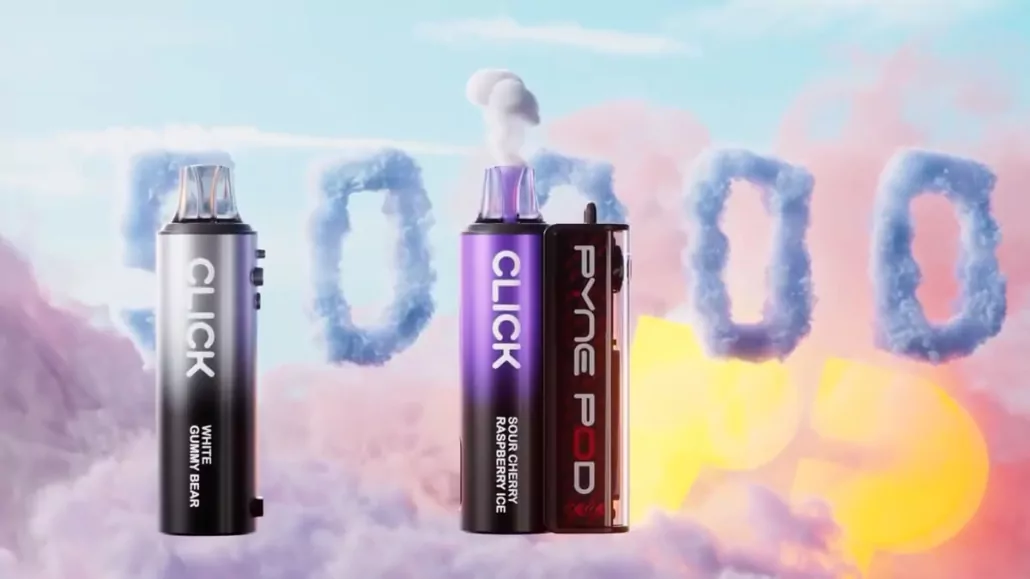
If you’re using the Pyne Pod Click 50K Prefilled Pod Kit, you already know it’s one of the most advanced pod systems out there. With an impressive 50,000-puff capacity (when pods are replaced), a powerful 850mAh rechargeable battery, and USB-C charging, it’s designed for convenience and performance.
But what if your Pyne Pod Click 50K isn’t charging? Don’t worry — you’re not alone. Many users run into charging issues, and most of them are easy to fix. In this guide, we’ll explain the most common reasons why your device won’t charge and walk you through practical fixes.
Quick Overview: Pyne Pod Click 50K Features
Before we dive into troubleshooting, let’s refresh the key specs:
- Puff Count: Up to 50,000 puffs per device (with pod changes).
- Pod Capacity: Each prefilled pod delivers ~12,500 puffs.
- Battery: 850mAh rechargeable battery with USB-C charging.
- Pod Mechanism: Magnetic snap-and-go pods.
- Activation: Buttonless, draw-activated system.
- Flavors: Wide range of Pyne Pod brand flavors.
Since the Pyne Pod Click 50K is rechargeable and not disposable, keeping the battery in good health is essential for long-term use.
Why Your Pyne Pod Click 50K Isn’t Charging
Faulty USB-C Cable or Adapter
- Cheap or damaged cables often fail to deliver proper power.
- Some wall adapters don’t match the required voltage.
Dirty or Clogged Charging Port
- Dust, lint, or e-liquid residue inside the USB-C port can block the connection.
Loose Pod Connection
- The Pyne Pod Click uses magnetic pods — if the pod isn’t seated properly, the device may not function correctly.
Battery Drain Issues
- If the battery is completely drained, it may take a while before the charging light comes on.
Overheating or Internal Defect
- Rarely, a faulty battery or circuit can prevent charging.
- Overheating during charging is a sign of internal damage.
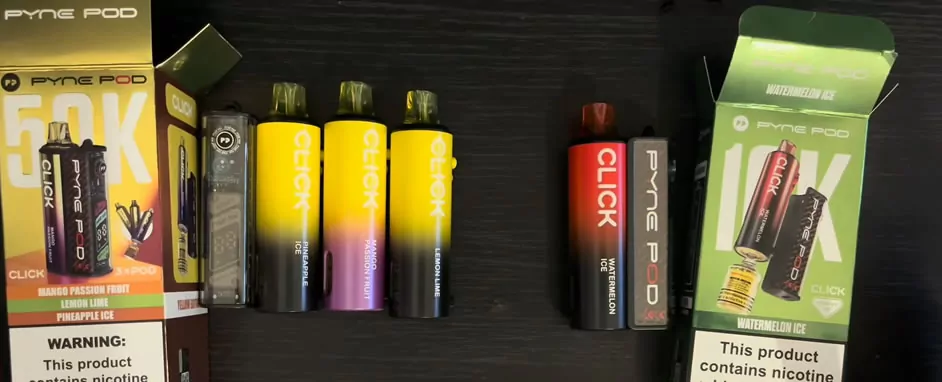
How to Fix Pyne Pod Click 50K Charging Problems
Follow these step-by-step solutions before assuming the device is defective:
Check Your USB-C Cable and Adapter
- Always use a good-quality USB-C cable.
- Test with another cable and wall adapter.
- Avoid using low-power laptop USB ports.
Clean the Charging Port
- Gently clean the USB-C port with a dry cotton swab or soft brush.
- Do not use water or metal tools (risk of short circuit).
- Check for e-liquid leaks around the port.
Reconnect the Pod Properly
- Remove and reinsert the magnetic pod firmly.
- Watch for the LED indicator to confirm it’s seated correctly.
Give It More Time
- If the battery is completely drained, leave it plugged in for 15–20 minutes before checking.
- Some devices take time to “wake up” from deep discharge.
Mandatory Retailer Licensing
- Use a wall adapter instead of a computer port.
- Try different sockets to rule out power issues.
Inspect for Damage
- If you notice overheating, cracks, or unusual smells, stop charging immediately.
- This could be a sign of a battery defect.
When to Replace or Seek Support
If none of the above works, it may be time to:
- Contact Pyne Pod support or your retailer for warranty replacement.
- Replace the device if the battery is permanently damaged.
- Upgrade to a new unit if the charging issues persist.
Tips to Prevent Charging Issues
Keep your Pyne Pod Click 50K running smoothly with these habits:
- Use high-quality USB-C cables and adapters.
- Avoid charging overnight.
- Keep the device clean and dry.
- Store at room temperature — avoid heat or freezing.
- Check for pod leaks regularly.
Final Thoughts
The Pyne Pod Click 50K Prefilled Pod Kit is built to last, but like any rechargeable vape, it can run into charging problems. Most of the time, the issue comes down to a cable, port, or connection problem — all easy to fix at home.
If your device still won’t charge after trying these steps, reach out to the manufacturer or consider replacing it. With proper care, your Pyne Pod Click 50K can keep delivering smooth, flavorful puffs for months.

- The Shift Toward Sustainable Pre-Roll Packaging in the Cannabis Industry - August 13, 2026
- Vape Shop Safety: Preventing Battery Burns and Nicotine Exposure - August 5, 2026
- How Long Does a Disposable Vape Last? - August 4, 2026
Related posts:
 Alabama Cities Begin Imposing Local Taxes on Vape Products
 Study Finds Vaping May Help Pregnant Women Quit Smoking Better Than Nicotine Patches
 Malaysia Prioritizes Enforcing Vape Laws, No Nationwide Ban Planned
 Geek Vape Raz DC25000 Disposable Vape Review
 Top 10 Best Strawberry Disposable Vapes for Sweet Fruity Bliss
 Free Vapes in Emergency Departments Help Smokers Quit

